Discover the step-by-step process of connecting your Nature 2 unit in the water circulation loop for efficient pool water sanitation. Learn about the necessary pieces, placement, hose connection, and expert advice on proper installation. Ensure optimal filtration and enjoy a clean and safe swimming experience. Let's dive in!
Guide details
Key Takeaways:
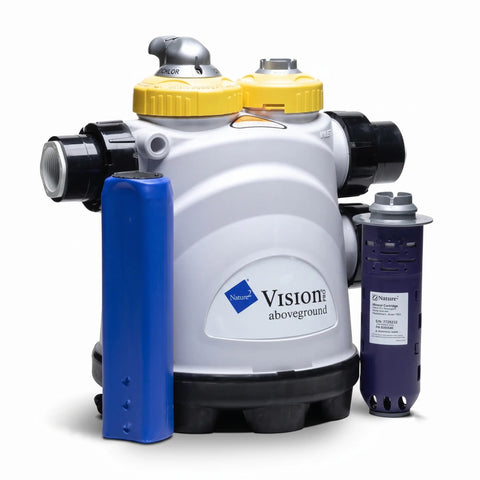
1. Last Unit in the Circulation Loop: The Nature 2 unit is the final component to connect in your water circulation loop. It sanitizes the filtered water before it is sent back into the pool through the return.
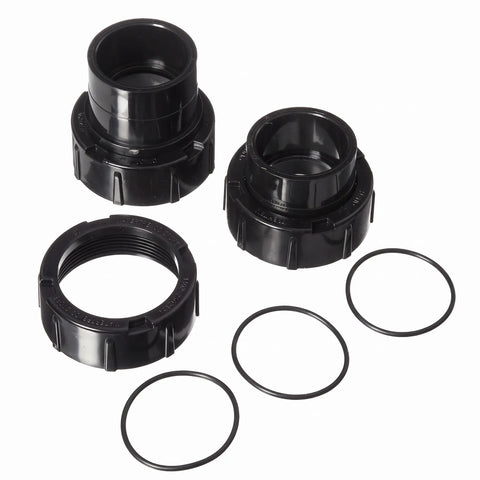
2. Necessary Pieces for Connection: Teflon tape, 2 fittings, hose clamps, 3' length hose (recommended).
3. Proper Placement: Position the Nature 2 unit next to your last piece of circulation equipment, such as the filter or pool water heater. Ensure a clear path from the unit to the return for efficient water flow.
Step-by-Step Process:
1. Gather the Necessary Pieces: Make sure you have all the required pieces for connecting the Nature 2 unit, including Teflon tape, two fittings, clamps, and a 3 ft length hose (or recommended size).
2. Proper Placement: Position the Nature 2 unit next to your last circulation equipment (filter or pool water heater) on a stable base. Ensure there is a clear path from the unit to the return.
3. Connection Preparation: Wrap the threads of the two fittings with Teflon tape to ensure a tight seal. Then, twist the fittings into the labeled "inlet" and "outlet" ports of the Nature 2 unit.
4. Hose Connection: Slide the hoses onto each of the fittings and secure them with clamps for a reliable connection.
5. Equipment Attachment: Attach the hose from the "inlet" port of the Nature 2 unit to your filter or pool water heater. Then, attach the hose from the "outlet" port to the return.
6. Finalize the Connection: Ensure all connections are secure and properly tightened.
7. Ready for Use: Your Nature 2 unit is now connected and ready to provide optimal pool water sanitation.