Guide details
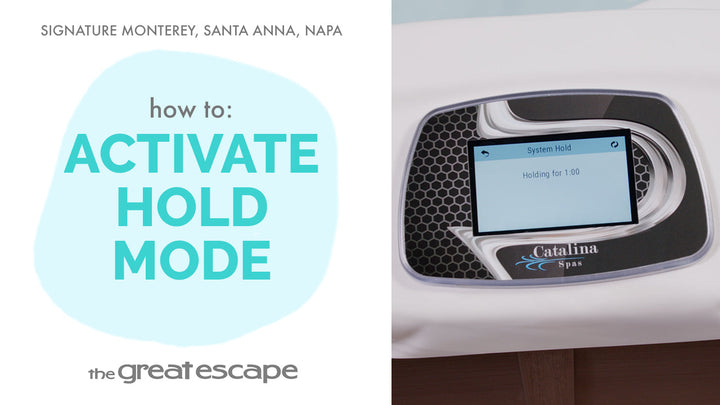
Ready to relax? In this tutorial, we’ll show you how to activate the jets in your Catalina Signature Series hot tub using the touchscreen panel. Whether you're looking for a gentle soak or full hydrotherapy power, this quick guide will help you dial in the perfect spa experience.
Key Takeaways:
• Learn the difference between low and high jet speeds.
• Customize your soak with one, two, or even three pumps.
• Jets automatically shut off after 20 minutes to save energy.
Step-by-Step Process:
1. Tap the screen to wake the panel.
2. Press the “1” and “2” jet icons to activate.
3. Choose Jet 1, 2, or 3 depending on your model.
4. Identify speed: 1 dot for low, 2 dots for high.
5. Tap again to turn any jet off.
Resources and Explanations:
• Touchscreen Display: Used to access and control all jet settings.
• Jet Speed Indicators: One or two chasing dots show current speed.
• Automatic Shut-Off: All jets turn off after 20 minutes to conserve energy.
• Pump Variability: Some spas may include a third pump for extra power.
FAQs:
Q1: What if my spa doesn’t show Pump 3?
A: Not all models include a third pump. If it doesn’t appear, your spa is likely a two-pump model.
Q2: What’s the purpose of the low-speed setting?
A: Low speed (1 chasing dot) is ideal for heating the spa and gentle circulation.
Q3: Can I turn jets off before the 20-minute auto shutoff?
A: Yes, just tap the icon for the jet you wish to stop.
At The Great Escape, we’re here to help you make the most of your spa. Our goal is to empower you with clear, simple tutorials so you can relax with confidence. For more helpful videos, subscribe to our channel and explore the full Signature Series playlist. See you next time!